
 iBABS MEET
Streamline all your meetings with smart agendas from one place
iBabs Meet transforms your meeting experience with clever agenda management, seamless documentation, and powerful follow-up tools that keep your team accountable and your governance on track.
 DASHBOARD
Stay on Top of Board Matters
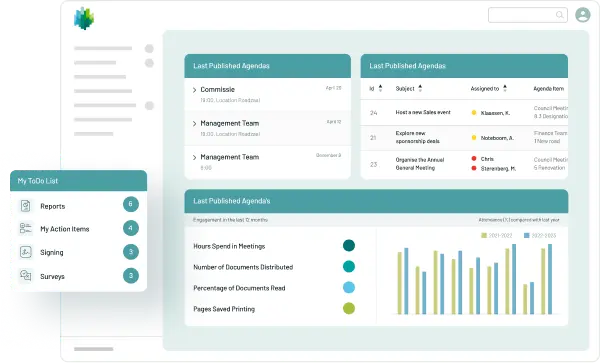
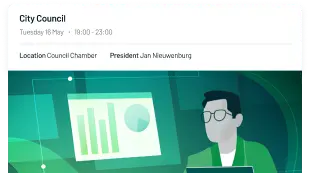
The iBabs dashboard is your single source of truth when it comes to board and committee matters. From upcoming meeting agendas and action items to documents for signing and reports for reviewing, stakeholders have all the information they need to do their best work.
Read more about Dashboard








 Notes & Annotations
Easy Note-Taking and Collaboration within Documents
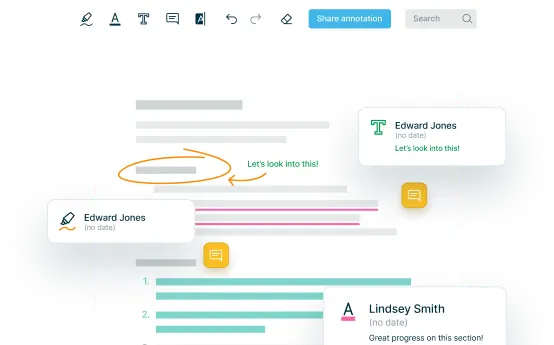
The document viewer contains annotation features designed to ensure that every team member is on the same page.
Read more about Notes & AnnotationsAdd 
Insert comments or notes, choosing any colour for visibility
Underline
Mark essential details, easily in any shade.
Draw Freely 
Express ideas with a pen tool, available in all colours.
Highlight Important
Emphasise key points in any colour.
Sticky notes 
Place notes for additional context or reminders.
 Minute Taking
From Meeting to Actionable Records
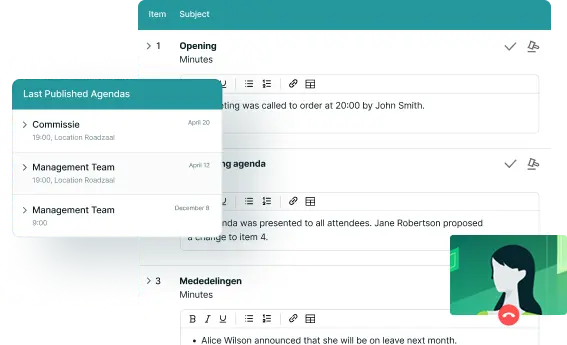
With time-saving features such as simple sharing with meeting participants, generating transcripts and exporting fully formatted minutes, you can turn minute taking from an all-day project into a straightforward task.
Read more about Minutes Taking- Convenience
No more formatting or adjusting fonts and styles
- Quick Export
Just click 'Export' and you'll have the minutes ready in a beautiful document, together with your agenda
- Automatically
iBabs automatically brands the minutes with your company logo
- Instant Editing
You can edit the minutes as much as you want
“We would have made the decision years ago if we had known that it would be so simple to digitize our board of directors. iBabs immediately established itself as the fluidifier of our governance.”

 Actions & Decisions
Turn Decisions Into Results
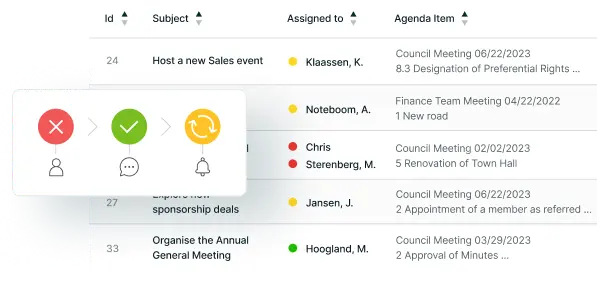
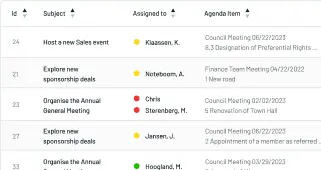
iBabs keeps track of all actions and decisions for you. If you want to track progress or find out who is assigned, simply log in to the iBabs portal.
Read more about Actions & Decisions- Deeper Insights
Segment actions by agenda type, owner, status and due date to gain deeper insights
- Notifications
Send notifications to stakeholders as soon as there is a new action assigned to them and notify them of upcoming deadlines automatically
- List of All Decisions
Make life easier for your auditors by giving them a list of all decisions that can be segmented by date, agenda type and approved or rejected status
 Microsoft 365 integration
Better Meetings With the Tools You Already Use
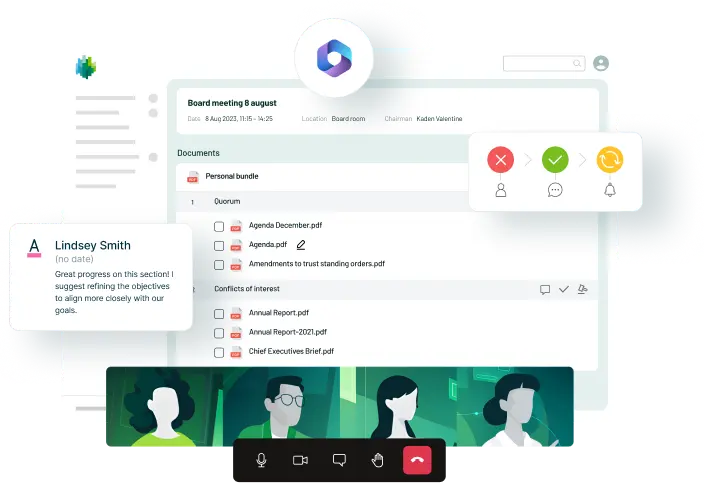
iBabs integrates with Microsoft 365 to provide frictionless workflows for meetings, document sharing, calendar management and more.
Read more about the integration- Integrations
Advanced Microsoft 365 integration, allowing you to implement single sign-on and automatically add or remove team members.
- Attachments
Attach documents directly from SharePoint and OneDrive, collaborate and push them to Microsoft 365
- Microsoft Purview
Protect your data and personal information with the Microsoft Purview Information Protection integration
- Outlook
Sync meeting schedules between iBabs and Outlook
Packed with features to make your meetings run smoothly
Access controls and permissions
Actions and decisions
Read moreAlerts and notifications
Annual filings
Approval Flows
Apps
Calendar management
Compliance management
Confidential Documents Register
Expand the capabilities of iBabs Meet with
Try iBabs Meet Today
If you’d like a conversation about iBabs, or a live demo, you can enter your details on the right. One of our iBabs experts will get in touch and schedule a meeting for a date and time that suits you.

Capture actions and export them in a branded document.

Set deadlines and assign actions through the iBabs platform

Track progress with the iBabs traffic light system (Red, Amber, Green)
Please fill in the quick form
Loading form…