
What Is a Board Portal + How to Choose the Best One
Public and private organisations alike have a board of directors that is responsible for leading its strategy. This involves bringing together a collection of experienced and expert team members. However, there are many moving parts in the process of holding meetings and making decisions. These need to work in harmony for it to work efficiently and effectively.
This is where a board portal can play an important role. These collaborative tools align all stakeholders on the board. They reduce admin, enable collaboration and facilitate enhanced discussions. They also help monitor actions and hold board members accountable.
This article explains what board portal software is. You will also discover how it can transform the entire ecosystem of your board and committee meetings. Additionally, find out what you should look for when you introduce this key piece of equipment into your organisation.
What is a board portal?
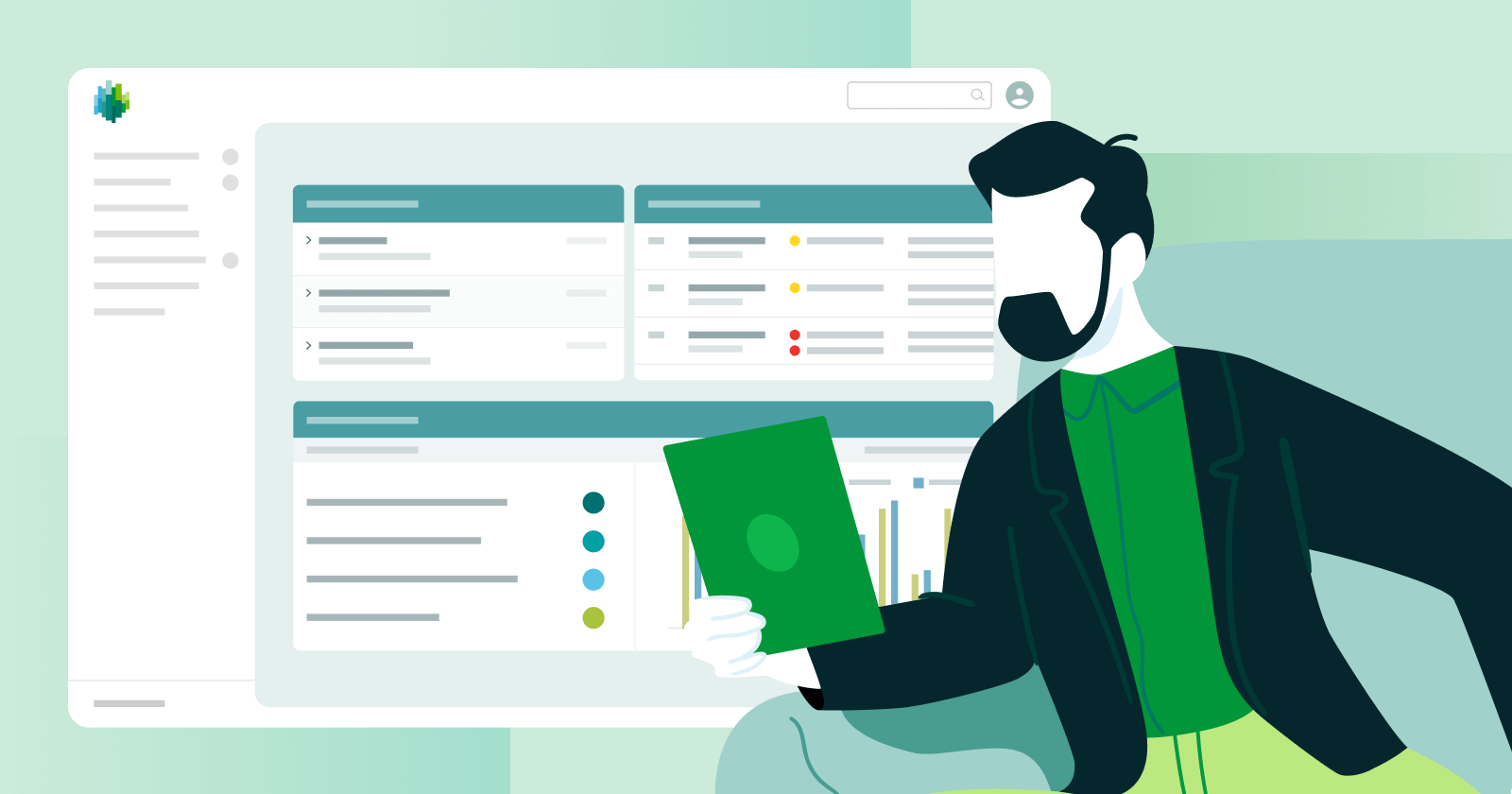
A board portal is a secure digital corporate governance platform. It is designed to streamline and enhance the communication, collaboration, and information-sharing processes. Companies use it both within a board of directors and between board admins and directors.
Board portal software is also referred to as board management software or board meeting software. It offers a centralised space for managing a wide range of board-related activities and documents.
Not only does this type of program replace traditional paper-based procedures, it also:
- Facilitates easier board communication
- Improves meeting preparation
- Enables better decision-making
- Runs the video conferencing aspect of virtual and hybrid meetings
- Creates an audit trail
- Collects data on board activity
- Monitors progress on action items.
A board portal is available to all members at all times via mobile and desktop devices. This means they can access the most important information and carry out board work wherever they are.
It becomes the primary communication tool between all stakeholders. It keeps conversations in a secure environment and centralises all board-related activity in one, easily accessible place.
What can you do with a board portal?
A board portal is not just used for running a meeting of the board of directors. Public and private companies also use this type of software to improve their workflows at every stage of the meeting process. For example, here is how iBabs’ board portal works in relation to board meetings:
| Meeting Stage |  For Directors |  For Assistants |
|---|---|---|
| Pre-meeting |
|
|
| During the meeting |
|
|
| Post-meeting |
|
|
More use cases of a board portal
Work remotely
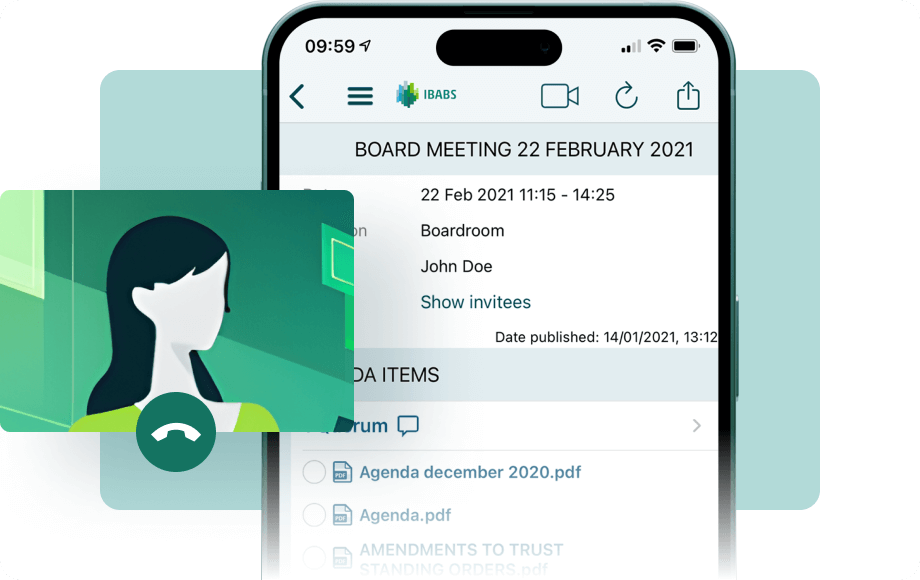
Availability on mobile devices means that board members can be connected to their work even when they are out and about. They can access the portal whenever they need it. Using the video conferencing integration, directors can attend meetings when they cannot be there in person.
Manage minutes
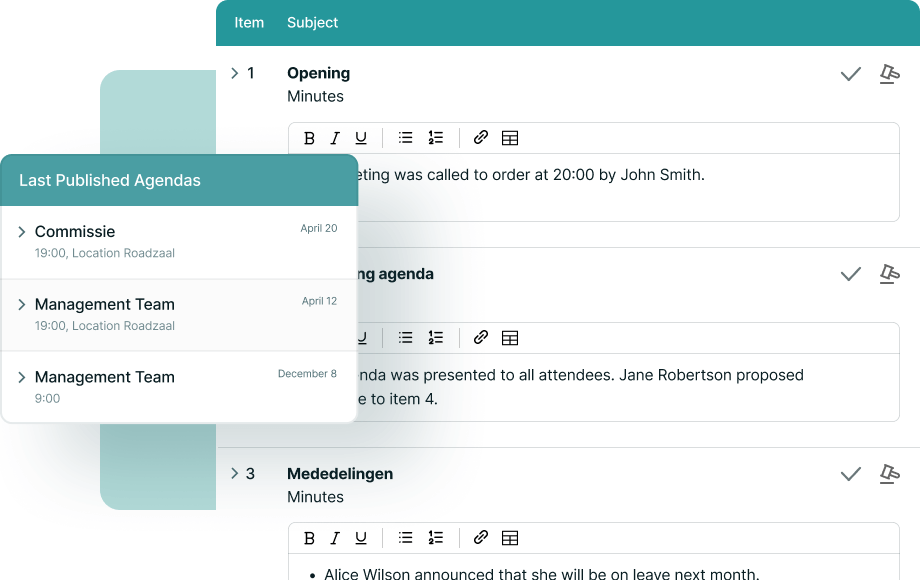
Board portals usually offer functionality to generate meeting minutes within the platform, using the agenda as a base. This makes the process more straightforward and faster, allowing you to distribute them whilst they are fresh in the memory. Board members can read, approve or suggest adjustments.
Manage action items
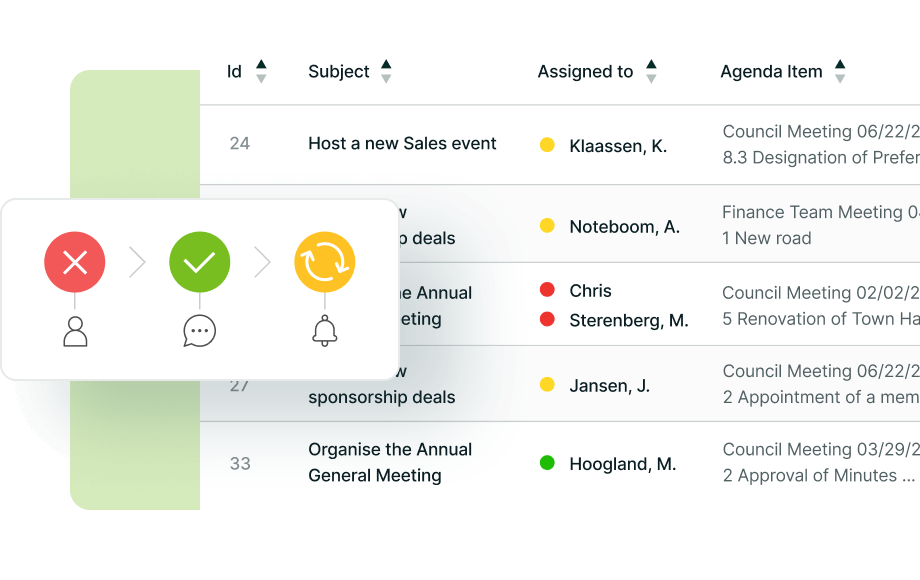
Add action items to the agenda or minutes, designate someone to complete them and set a deadline. You can also track the status of action items using a task manager to ensure the work is on target.
Validate documents and decisions
Use your board portal to collect legally binding digital signatures without directors having to be in the room. The portal also records all data relating to decision-making. This simplifies the retrieval of important information in the event of an audit.
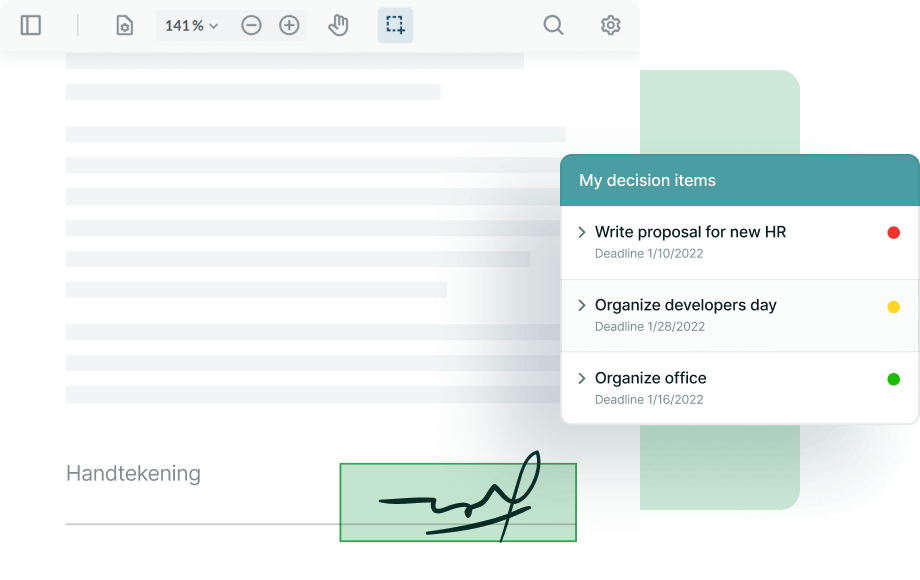
Collaborate in real-time
Board members might not find themselves in the same room very often. However, they can connect in the cloud through board portal software. This way, they can collaborate on documents and the changes will update automatically in all users' profiles.
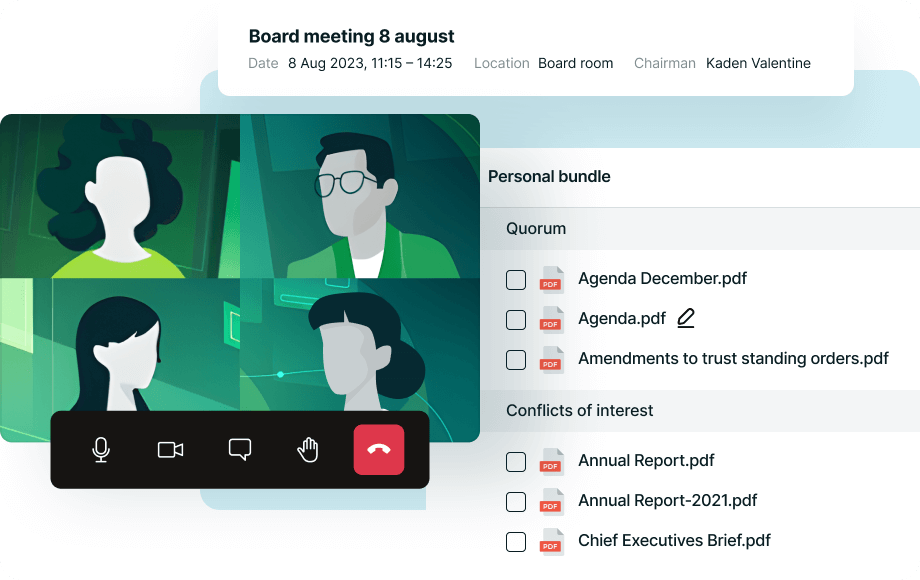
Manage meeting preparation
Board admins can schedule meetings, invite members and sync to their calendars within the portal. They can use an agenda builder to put together agenda items in minutes and prioritise the most pressing topics. There is also functionality to attach relevant documents to bring leadership teams up to speed.
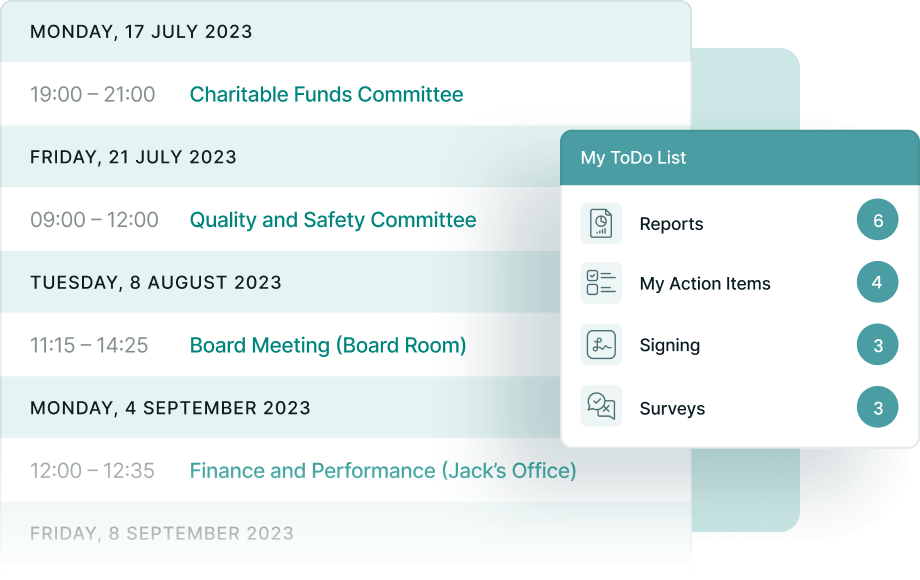
Share documents securely
Board portal solutions offer a layer of security by storing all documents in a central repository. Only those with access to a profile can access them on this secure platform and there is no chance of them being buried in email chains.
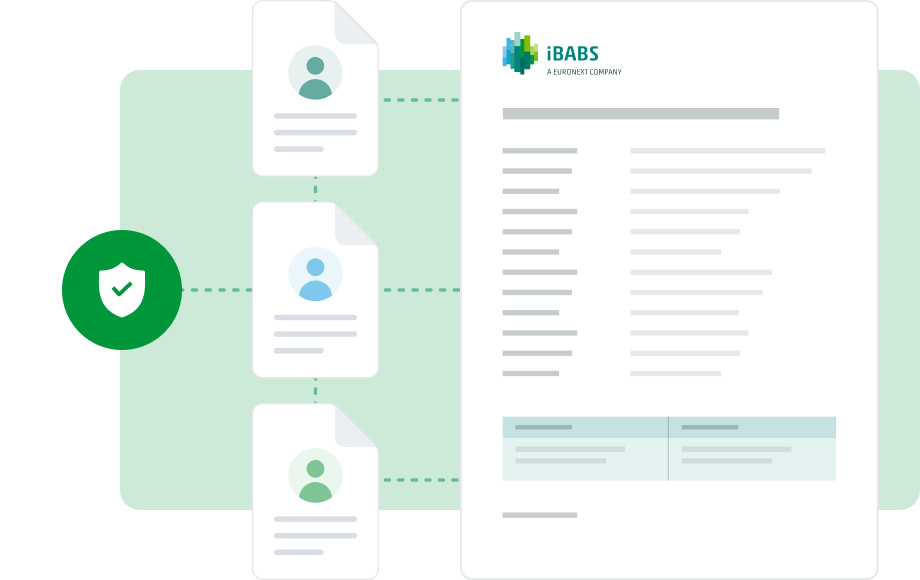
Try the board portal 3,000+ organisations use
iBabs provides all the functionality you need to transform the way your board runs its meetings. To find out more about our powerful board portal, request a demo to see it in action and discover how it would work for your business.
Key features of a board portal
iBabs provides all the functionality you need to transform the way your board runs its meetings. To find out more about our powerful board portal, request a demo to see it in action and discover how it would work for your business.
Article Summary
Learn More About iBabs’ Features
iBabs provides a leading board portal that scales with your business. You only pay for your active users. You also enjoy all the features needed to improve decision-making. The portal also increases board engagement and streamlines the meeting process.
How much does a board portal cost?
The cost of board portal software can depend on a number of factors. These include:
- The solution you decide to use
- The features you need (some providers have different prices for a range of tiers that offer more functionality the more you are willing to pay)
- The number of users for your board portal (some solutions are charged per user or there are tiered plans based on the size of your organisation)
- Whether you pay monthly or annually
- The cost of paying for the provider to train your users
For example, using iBabs, and that is set at €12 per user per month. In addition, we provide full on-site training for both administrative staff and end-users of the board portal for a one-off fee of €995.
Of course, you can also factor in the value of the time your users spend learning how to use the tool. You can minimise this by taking a full training package directly from the provider, such as the one iBabs offers.
When considering a board portal, you should also consider the return on investment. Not only do you benefit through increased board effectiveness. You also enjoy the benefits of increased security around your sensitive board documents and the general work of the board. When you compare the cost of implementing board software to the benefits of a provider's solution, you can make an informed decision.
Read our ebook on the ROI of a board portal to find out more.
Find out about iBabs’ simple pricing
iBabs provides a leading board portal that scales with your business. You only pay for your active users. You also enjoy all the features needed to improve decision-making. The portal also increases board engagement and streamlines the meeting process.
What questions should you ask your board portal provider?
When you start looking for the perfect solution on the board portal market for your organisation, you need to know what to ask the vendors you engage. These questions will help you to determine whether their board portal is the right fit for your business.
Functionality and usability
- How user-friendly is your platform?
- Do you offer features like digital signatures, voting functionality and integrated video conferencing?
- How does the portal facilitate document management, version control and real-time collaboration?
- Does it allow for offline access
Accessibility and compatibility
- Is the portal accessible on desktop, tablet and mobile and across different operating systems (iOS, Android, Windows)?
- Do you provide an offline mode for document access
Security and compliance
- What protocols do you have in place (e.g. encryption standards, multi-factor authentication) to make this a secure platform?
- Are you compliant with GDPR or other relevant data protection regulations?
- How do you handle data backups and disaster recovery
Customisation and integration
- Can the portal be customised to our organisation's specific needs?
- Does it integrate with other tools and systems we currently use?
- Do I have complete control over the integrations I use
Training and support
- What kind of training do you provide to onboard new users?
- How accessible is your customer service?
- What does the contract include?
- How is the platform priced?
- Is it a one-time fee, subscription-based or based on the number of users?
- Are there any additional costs or fees, such as for training or advanced features?
- What is the contract length and what are the terms for renewal or termination?
Updates and enhancements
- How often do you release updates or new features for the portal?
- How do you gather and incorporate feedback from users to improve the platform?
Data ownership and portability
- Who owns the data stored in the portal?
- In case we decide to switch vendors in the future, how can we retrieve or transfer our data?
Uptime and reliability
- What is your platform's uptime history or percentage?
- How do you ensure the reliability of your service?
References and case studies
- Can you provide references or case studies from organisations using your portal?
About the vendor
- How can we be sure that you will continue to provide this business-critical service in the long term?
- Is there any risk that the vendor is aqcuired by a larger competitor?

Benefits of adopting a board portal

Better decisions and accountability
With better collaboration facilitated by a board portal comes better decision-making. Everyone arrives at the meeting with the benefit of having heard colleagues’ views on topics. They have been able to research them further to create robust counterarguments or uncover their validity. This preparation means that the board can take better-informed decisions for the benefit of the company.
This increased accountability drives the board to effect real change.
The administrative dashboard shows how often directors attend meetings. It also displays how many documents they open and other engagement figures. This helps to hold directors to account.

Improves your ESG rating
Both public and private companies are evermore aware of their obligations towards sustainability. Ridding the board meeting process of paper is a big step toward your environmental, social, and corporate governance (ESG) goals.
Board packs can be long, running into the tens, if not hundreds, of pages. Board meetings can use a lot of paper, especially if there are amendments to make and send out. A board portal eradicates this and distributes all board material digitally, in the cloud.

Improves compliance and record-keeping
Compliance is a key element of the board’s work. A board portal helps maintain the requirements for record-keeping, such as minutes. It also keeps corporate data, trade secrets and information on clients. This is essential as part of risk management.
A board portal maintains digital records of the meeting. This includes board meeting minutes, decisions, resolutions and more. In addition, the security protocols in place on the platform help you comply with strict data protection laws.
A leading board portal requires multi-factor authentication for logging in. It also allows you to adjust which profiles have access to which information and remotely wipe data if you need to.

Cost savings
Boards save money in terms of the time it takes both administrators and directors to prepare for meetings. In addition, a paperless approach reduces the cost of materials, printing and distribution.
Your portal offers multiple functions. It has its own cloud-based storage, video conferencing tool and minute-taking software, for example. This way, you save on separate subscriptions.
Meetings become shorter and more efficient. Improved decision-making helps increase revenue. Both count as cost savings from using a board portal.

Increase efficiency and productivity
A board portal reduces the time spent creating agenda items and minutes. It also reduces the time administrators spend creating documents like minutes. It is more efficient to upload documents to the cloud than. use the traditional paper process.
Directors can suggest changes. Board admins can action them immediately. This ensures that everyone works on the same, most accurate version of the information. This leads to more productive meetings. All attendees arrive ready for discussions, without having to spend time bringing colleagues up to speed.
Challenges and concerns
Whenever you introduce a new way of working into an established group, it can cause concern and that is only natural. Here are some potential challenges to the smooth adoption of a board portal.

Cyber threats
Locating all your sensitive board information within a platform can seem daunting. Some people worry about cyberattacks and other security risks. Most board portals use high-quality security protocols to protect their data. The board stays safe as it discusses and shares private business information. Check the security features of the board of directors portal before you sign up.
Training and skill development
A new tool that provides the functionality of a digital board portal will require users to undertake training. This can take place internally, using the literature provided by the company. In some cases, it can take time and require initial users to learn on the job and then trickle down their knowledge.
This is why it is advisable to take advantage of training packages offered by the board portal provider. They will have worked out the most effective way of imparting the information that new users need. This manner helps bring them up to speed as quickly as possible.
Technology infrastructure requirements
Directors and board administrators need to have compatible devices to use the board portal. It might require the company to provide these devices initially. Thankfully, most board portals work in the cloud and do not pose too many demands on the IT infrastructure of the business.
In addition, features such as an agenda builder are intuitive. They are easy to use within the meeting management software.
Transition and adoption hurdles
Some people do not like change and that can cause hurdles when encouraging adoption of the new portal. Transitioning from your current process can seem daunting too. You may fear it will be disruptive to the work of the board.
However, this is where you need to arm yourself with the multiple benefits of the tool you want to install. Demonstrate why it is in the best interest of the company. Most providers will also have a well-practised installation process in place. This minimises disruption and gets boards up and running in record time.
Case studies: successful implementation of board portals
Find out why 3,000+ organisations trust iBabs
iBabs has spent more than a decade in the business. Working with government bodies, councils, medium-sized corporations and industry giants. We help all organisations to streamline their meeting processes.
Is it difficult to switch to a new board portal?
The process of switching to a new board portal can seem daunting. Your board is comfortable with your current system and replacing that and retraining stakeholders might appear to be a big task. However, the process can be smoother than you might imagine, depending on the provider you work with. In addition, using a portal that meets all directors’ needs can transform your board meetings.
With iBabs, you will receive support at each step. This is how the switch works:
4
Go live with support
Our trainer and dedicated support team are there to help on an ongoing basis with any queries that you may have. It's as you start to realise the full potential of iBabs' board portal.
3
Training sessions
Schedule training sessions with our team. We help your team understand how to best use the portal's advanced features.
2
Data transition
Book in sessions with our expert trainers to move the data you need from your current system to your new iBabs platform.
1
Migration plan
We work with you to plot out the steps involved in a migration plan. We break the process down into manageable steps toward implementing the right solution for your board.
FAQ
Article Summary
How do board portals differ from regular collaboration tools?
Are board portals suitable for smaller organisations?
How do I ensure the security of our data on a board portal?
How often should a board portal be updated or reviewed?
Can you manage multiple boards with one board portal?
Discover the leading end-to-end board portal solution
Revolutionise your meeting process with a streamlined procedure that protects your sensitive information. It keeps your team on the same page and fully prepared for board meetings.